Handheld Screen Size Comparison: 23 Handhelds vs iPad (2026)
This handheld screen size comparison puts 23 handhelds side by side, from the 6-inch GPD Win 4 to the 10.95-inch OneXPlayer X1 Pro, with the iPad for scale. Most handheld PCs have 7- or 8-inch screens; Lenovo’s Legion Go and Legion Go 2 have 8.8 inches. Below: each screen’s size, resolution, refresh rate and panel, how much area it really has, and how to play on a bigger one, including the iPad you may already own.
| Way | What to buy | What you connect | Cost | Works away from home |
|---|---|---|---|---|
| TypeScreen with your iPad | nothing | your iPad, 8.3 to 13 inches, and one USB‑C cable | free | yes |
| TV | a USB‑C to HDMI adapter or a dock | the TV, the adapter or dock, an HDMI cable | $19.99 adapter (Plugable) | only where there’s a TV you can use |
| Desk monitor | a monitor, if you don’t have one | the monitor and a cable | the monitor | no |
| Portable monitor | the monitor | the monitor and a cable | about $130–240 | yes |
| AR glasses | the glasses | the glasses and their cable | $399 on sale (XREAL One) | yes |
US prices as of October 2026, from the Plugable, Arzopa and XREAL stores.
Handheld screen size comparison table
Handhelds are sorted by screen size, smallest first. Specs are from the makers’ own pages, linked in the sections below and checked in October 2026.
| Handheld | Screen | Resolution and shape | Refresh rate | Panel |
|---|---|---|---|---|
| GPD Win 4 (2025) | 6 inches | 1920 × 1080, 16:9 | 40 or 60 Hz | H-IPS |
| Steam Deck LCD | 7 inches | 1280 × 800, 16:10 | 60 Hz | IPS LCD |
| ROG Ally, Ally X, Xbox Ally, Xbox Ally X | 7 inches | 1920 × 1080, 16:9 | 120 Hz | IPS-level |
| MSI Claw 7 AI+ | 7 inches | 1920 × 1080, 16:9 | 120 Hz | IPS-level |
| Zotac Zone | 7 inches | 1920 × 1080, 16:9 | 120 Hz | AMOLED |
| GPD Win 5 | 7 inches | 1920 × 1080, 16:9 | 120 Hz | LTPS |
| GPD Win Mini (2025) | 7 inches | 1920 × 1080, 16:9 | 60 or 120 Hz | LTPS |
| OneXFly F1 Pro | 7 inches | 1920 × 1080, 16:9 | 144 Hz | OLED |
| AYANEO 3 | 7 inches | 1920 × 1080, 16:9 | up to 144 Hz (OLED), 120 Hz (LCD) | OLED or LCD |
| Steam Deck OLED | 7.4 inches | 1280 × 800, 16:10 | up to 90 Hz | HDR OLED |
| ROG Xbox Ally X20 | 7.4 inches | 1920 × 1080, 16:9 | 120 Hz | OLED |
| Nintendo Switch 2 | 7.9 inches | 1920 × 1080, 16:9 | up to 120 Hz, VRR | LCD |
| Lenovo Legion Go S | 8 inches | 1920 × 1200, 16:10 | 48–120 Hz, VRR | IPS |
| MSI Claw 8 AI+, Claw A8, Claw 8 EX AI+ | 8 inches | 1920 × 1200, 16:10 | 48–120 Hz, VRR | — |
| OneXFly APEX | 8 inches | 1920 × 1200, 16:10 | 120 Hz, VRR | — |
| Lenovo Legion Go (2023) | 8.8 inches | 2560 × 1600, 16:10 | 144 Hz | IPS |
| Lenovo Legion Go 2 | 8.8 inches | 1920 × 1200, 16:10 | 144 Hz | OLED |
| OneXPlayer X1 Pro | 10.95 inches | 2560 × 1600, 16:10 | 120 Hz | LTPS |
For scale, iPad screens are 8.3 inches on the iPad mini, 11 inches on the iPad and 11 or 13 inches on the iPad Air, per Apple; how a handheld’s picture fits on them is below.
Screen area: how much bigger each screen really is
A handheld screen size comparison by diagonal alone falls short when the shapes differ. 16:10 is taller than 16:9, so at the same diagonal it has more area: the 7-inch Steam Deck LCD has about 5% more screen than a 7-inch ROG Ally. For a handheld PC screen size comparison that’s fair across shapes, we calculated each screen’s width and height from its diagonal and its shape, and multiplied them:
| Screen | Handhelds | Width × height | Area | Area vs Steam Deck OLED |
|---|---|---|---|---|
| 6 inches, 16:9 | GPD Win 4 | 5.2 × 2.9 in | 15.4 sq in | 63% |
| 7 inches, 16:9 | ROG Ally, Ally X, Xbox Ally, Xbox Ally X, MSI Claw 7 AI+, Zotac Zone, GPD Win 5, Win Mini, OneXFly F1 Pro, AYANEO 3 | 6.1 × 3.4 in | 20.9 sq in | 85% |
| 7 inches, 16:10 | Steam Deck LCD | 5.9 × 3.7 in | 22.0 sq in | 89% |
| 7.4 inches, 16:9 | ROG Xbox Ally X20 | 6.4 × 3.6 in | 23.4 sq in | 95% |
| 7.4 inches, 16:10 | Steam Deck OLED | 6.3 × 3.9 in | 24.6 sq in | 100% |
| 7.9 inches, 16:9 | Nintendo Switch 2 | 6.9 × 3.9 in | 26.7 sq in | 108% |
| 8 inches, 16:10 | Legion Go S, MSI Claw 8 AI+, Claw A8, Claw 8 EX AI+, OneXFly APEX | 6.8 × 4.2 in | 28.8 sq in | 117% |
| 8.8 inches, 16:10 | Legion Go, Legion Go 2 | 7.5 × 4.7 in | 34.8 sq in | 141% |
| 10.95 inches, 16:10 | OneXPlayer X1 Pro | 9.3 × 5.8 in | 53.9 sq in | 219% |
Which handheld has the biggest screen?
Of the handhelds in this comparison, the OneXPlayer X1 Pro, a tablet with detachable controllers, has the biggest screen: 10.95 inches, about 2.2 times the area of a Steam Deck OLED. Next come Lenovo’s Legion Go and Legion Go 2 at 8.8 inches, with 41% more area than the OLED Deck, then the 8-inch Legion Go S, MSI Claws and OneXFly APEX. The Switch 2 sits just below them at 7.9 inches.
A bigger screen comes with a heavier handheld: Lenovo lists about 920 g for the Legion Go 2 with its controllers and 740 g for the Go S, and Valve about 640 g for the Steam Deck OLED. And a new 8- or 8.8-inch handheld adds an inch or two of screen; a TV, a monitor or your iPad adds more.
Steam Deck LCD and OLED
The Steam Deck LCD has a 7-inch, 1280 × 800 IPS screen at 60 Hz, and the Steam Deck OLED a 7.4-inch HDR OLED at up to 90 Hz, per Valve’s tech specs for the OLED and LCD models. Both are 16:10, and the OLED Deck has about 18% more screen area than a 7-inch 16:9 handheld like the ROG Ally or Zotac Zone. The 8-inch handhelds have 17% more area than the OLED Deck, and Nintendo’s Switch 2, with a 7.9-inch LCD, 8% more. More on Valve’s screens: Steam Deck screen size.
ROG Ally and ROG Xbox Ally: 7 or 7.4 inches
The ROG Ally, ROG Ally X, ROG Xbox Ally and ROG Xbox Ally X have the same 7-inch IPS-level screen, 1920 × 1080 at 120 Hz. The 2026 ROG Xbox Ally X20 is the first with OLED: 7.4 inches, same resolution, up to 1,400 nits in HDR. Specs from ASUS: ROG Ally, ROG Ally X, ROG Xbox Ally, ROG Xbox Ally X and ROG Xbox Ally X20. Sizes and weights of every model: ROG Ally screen size. To run SteamOS on one: ROG Ally SteamOS.
Legion Go screen size: Legion Go, Legion Go 2 and Go S
The original Legion Go has an 8.8-inch (22.4 cm) IPS screen with 2560 × 1600 pixels at 144 Hz. The Legion Go 2 screen size is also 8.8 inches, but the panel is OLED: 1920 × 1200 at 144 Hz and up to 1,100 nits in HDR. The Legion Go S is smaller: 8 inches (20.3 cm), 1920 × 1200, IPS, 48–120 Hz with VRR. All three are 16:10, per Lenovo’s PSREF for the Legion Go, Go 2 and Go S. More: Legion Go S screen size.
MSI Claw screen size
MSI’s current Claws come in two screen sizes. The Claw 7 AI+ has a 7-inch IPS-level screen, 1920 × 1080 at 120 Hz. The Claw 8 AI+, Claw A8 and Claw 8 EX AI+ have 8 inches, 1920 × 1200 and 48–120 Hz with VRR, per MSI’s spec pages for the Claw 7 AI+, Claw 8 AI+, Claw A8 and Claw 8 EX AI+. The Claw A8 runs on an AMD Ryzen Z2 Extreme, so it falls under Valve’s beta SteamOS support for other AMD handhelds; the other Claws use Intel chips.
Zotac Zone screen size
The Zotac Zone has a 7-inch AMOLED screen with 1920 × 1080 pixels at 120 Hz and 800 nits, HDR-ready, according to Zotac. That’s the same size and shape as the ROG Ally’s screen.
GPD Win 5 screen size, plus Win 4 and Win Mini
The GPD Win 5 has a 7-inch screen with 1920 × 1080 pixels at 120 Hz, FreeSync Premium and 500 nits; GPD’s spec page lists LTPS technology, not OLED. The flip-open Win Mini (2025) also has 7 inches and 1920 × 1080, at 60 or 120 Hz. The Win 4 (2025) has the smallest screen here: 6 inches, 1920 × 1080, 40 or 60 Hz, with 37% less area than a Steam Deck OLED.
OneXPlayer screen size by model
The OneXPlayer X1 Pro is a 10.95-inch tablet with detachable controllers. OneXPlayer lists a 2.5K touchscreen at 120 Hz on its X1 Pro page and gives the details for the earlier HX 370 version: LTPS, 2560 × 1600. The OneXPlayer 3, X2 Mini and X2 Mini Pro have 8.8-inch OLED screens; the X2 Mini Pro has an AMD chip, the other two Intel. The OneXFly handhelds are smaller: the F1 Pro has a 7-inch OLED, 1920 × 1080 at 144 Hz and 800 nits, and the APEX an 8-inch screen, 1920 × 1200 at 120 Hz with VRR. OneXPlayer’s 14-inch Super X is what the company calls a gaming tablet-laptop hybrid.
AYANEO 3 screen size
The AYANEO 3 comes with a choice of two 7-inch, 1920 × 1080 screens: OLED at up to 144 Hz and 800 nits, or LCD at 120 Hz and 500 nits, with VRR.
Play on a TV
Most handheld PCs output video over USB‑C (DisplayPort Alt Mode), so a USB‑C to HDMI adapter or a dock connects them to a TV. Plugable’s USB‑C to HDMI 2.0 adapter is $19.99 and outputs up to 4K at 60 Hz, US price as of October 2026. Step by step: how to connect Steam Deck to a monitor or TV, and for the Go S, Legion Go S dock.
Downsides:
- You play where the TV is, and only if it’s free.
- The HDMI cable ties the handheld to the TV: from the couch, you need a long cable or a separate controller.
Use a monitor or a portable monitor
A desk monitor with HDMI connects the same way as a TV, and one with a USB‑C input that accepts DisplayPort needs just a cable. Portable monitors are usually 15 to 16 inches and 1080p, and they fit in a bag: the 16.1-inch Arzopa Z1FC was $129.99 on sale and Plugable’s 15.6-inch USB‑C monitor $239.95, US prices as of October 2026. If you already own an iPad, compare first: iPad vs portable monitor.
Downsides:
- A desk monitor stays on the desk.
- A portable monitor is one more device to buy and carry, and some need their own power adapter.
Use AR glasses
AR glasses plug into a USB‑C port and show the game on a large virtual screen in front of your eyes. For example, XREAL One is $399 on sale, down from $499, in XREAL’s US store as of October 2026.
Downsides:
- The XREAL One costs $399 on sale.
- Only the person wearing them sees the game.
Play on your iPad’s bigger screen
TypeScreen, our app, turns your iPad into a wired screen for a handheld with SteamOS: the handheld encodes the picture in hardware and sends it to the iPad over one USB‑C cable, the same cable you charge the iPad with. You keep playing with the handheld’s own controls. iPads range from 8.3 inches (iPad mini) to 13 inches (iPad Air and iPad Pro).
How much bigger? The game keeps the handheld’s shape, with bars at the top and bottom of the iPad screen, and a pinch fills the whole screen. Here’s the picture’s area compared with the handheld’s own screen:
| Handheld screen | On an 11-inch iPad | On a 13-inch iPad |
|---|---|---|
| 6 inches, 16:9 (GPD Win 4) | ×2.9 | ×3.9 |
| 7 inches, 16:9 (ROG Ally and other 7-inch 16:9 models) | ×2.1 | ×2.9 |
| 7 inches, 16:10 (Steam Deck LCD) | ×2.3 | ×3.0 |
| 7.4 inches, 16:9 (ROG Xbox Ally X20) | ×1.9 | ×2.6 |
| 7.4 inches, 16:10 (Steam Deck OLED) | ×2.0 | ×2.7 |
| 8 inches, 16:10 (Legion Go S, 8-inch MSI Claws, OneXFly APEX) | ×1.7 | ×2.3 |
| 8.8 inches, 16:10 (Legion Go, Legion Go 2) | ×1.4 | ×1.9 |
The picture fills the iPad’s width; iPad screen sizes are calculated from Apple’s resolution and pixels per inch. The iPad and the 11-inch iPad Air give the same figures, and iPad Pro screens are slightly larger. On an iPad mini, 7- and 7.4-inch screens get about 1.2 to 1.4 times the area; for 8- and 8.8-inch screens, pick an 11- or 13-inch iPad. The tablet-sized X1 Pro gets about 1.2 times on a 13-inch iPad.
Add the iPad to this handheld screen size comparison, and a 7-inch handheld on an 11-inch iPad shows a bigger picture than any 8.8-inch handheld: about 1.3 times the area of the Legion Go 2’s screen.

Screens to scale from ASUS and Apple specs, October 2026. The same figures apply to every 7-inch 16:9 screen in the table.
What you need: an iPad with iPadOS 17 or later, a Steam Deck or another handheld with SteamOS in Game Mode, and a USB‑C cable. Valve sells the Steam Deck with SteamOS, and Lenovo the Legion Go S. Most other handheld PCs here ship with Windows 11; Valve lists the Legion Go, ROG Ally, ROG Ally X and “other AMD powered handhelds” under beta SteamOS support and explains how to install it there; every model and its status: SteamOS handhelds. We build and test TypeScreen on a ROG Xbox Ally X running SteamOS.
How to set it up:
- Install TypeScreen on the iPad. It’s free on the App Store.
- Install TypeScreen on the handheld from the iPad app — once, at home, with both devices on Wi‑Fi and the handheld online. The app walks you through turning on Developer Mode and selecting “Pair new host”.
- Connect the cable and tap Trust on the iPad. In Game Mode, your game appears on the iPad automatically.
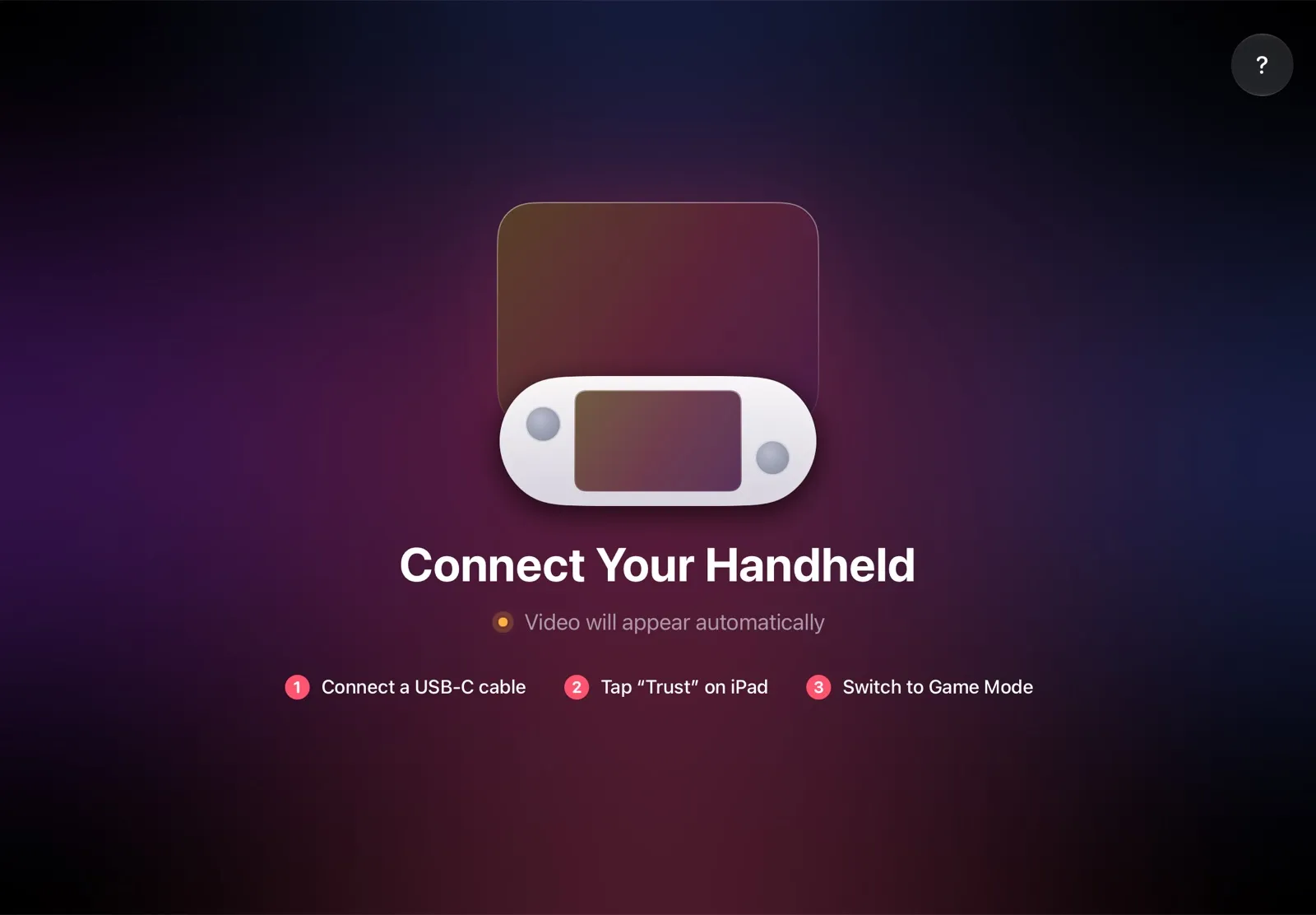
The installation guide has every step, and iPad as a monitor for Steam Deck compares the other ways to use an iPad as the screen.
Why it’s the simplest way:
- Nothing to buy. The app is free, and the cable is the one you already have.
- The big screen goes with you. The iPad fits in the same bag as the handheld, so you can play on it at a desk, in a hotel or on a train.
- No Wi‑Fi lag. The picture goes over the cable, so a slow or busy network can’t add delay.
- Made for your devices. The handheld detects the iPad’s display and picks the resolution and frame rate for it.
Which bigger screen should you use?
- You own an iPad and a handheld with SteamOS: TypeScreen — a bigger screen with nothing to buy.
- You’re choosing a handheld for its screen: the 8- and 8.8-inch models are the step up from 7 inches; check the weight too. On an 11-inch iPad, even a 7-inch handheld’s picture is bigger than their screens.
- You play at home, next to a TV: a USB‑C to HDMI adapter or a dock.
- You play at a desk: a monitor.
- No iPad, and you travel a lot: a portable monitor, or AR glasses if you play alone.
FAQ
What is the biggest screen handheld PC?
Of the handhelds compared here, the OneXPlayer X1 Pro, at 10.95 inches. Next are Lenovo’s Legion Go and Legion Go 2 at 8.8 inches, the same size as the OneXPlayer 3, X2 Mini and X2 Mini Pro. An iPad goes up to 13 inches, and with TypeScreen it becomes the screen for a handheld with SteamOS.
What is the Legion Go screen size?
8.8 inches (22.4 cm) on the Legion Go and the Legion Go 2, and 8 inches (20.3 cm) on the Legion Go S. The Legion Go has 2560 × 1600 pixels; the Legion Go 2 and Go S have 1920 × 1200.
Does the GPD Win 5 have an OLED screen?
No. GPD lists a 7-inch LTPS screen with 1920 × 1080 pixels, 120 Hz and 500 nits.
What is the MSI Claw screen size?
7 inches on the Claw 7 AI+, with 1920 × 1080 at 120 Hz, and 8 inches on the Claw 8 AI+, Claw A8 and Claw 8 EX AI+, with 1920 × 1200 at 48–120 Hz.
What is the Zotac Zone screen size?
7 inches: an AMOLED screen with 1920 × 1080 pixels at 120 Hz and 800 nits.
What is the OneXPlayer screen size?
It depends on the model: 7 inches on the OneXFly F1 Pro, 8 inches on the OneXFly APEX, 8.8 inches on the OneXPlayer 3, X2 Mini and X2 Mini Pro, and 10.95 inches on the X1 Pro.
What is the AYANEO 3 screen size?
7 inches, with 1920 × 1080 pixels. You choose OLED, at up to 144 Hz, or LCD, at 120 Hz.
What screen size do most handheld PCs have?
7 or 8 inches. Of the 23 handhelds here, 11 have 7-inch screens and 5 have 8-inch ones; the Steam Deck OLED and ROG Xbox Ally X20 have 7.4 inches, and the Legion Go and Legion Go 2 have 8.8. Only the OneXPlayer X1 Pro, a tablet with detachable controllers, is bigger, at 10.95 inches.
How does a handheld screen compare to an iPad?
With TypeScreen, a 7-inch 16:9 handheld’s picture is about 2.1 times its own screen’s area on an 11-inch iPad and 2.9 times on a 13-inch one.
Can I use my iPad as a screen for a handheld PC?
Yes, if the handheld runs SteamOS. With TypeScreen, one USB‑C cable connects it to an iPad with iPadOS 17 or later, with no dock or adapter. The app is free on the App Store.