
SteamOS Handhelds in 2026: 20 Models and Their Status
Only two handhelds come with SteamOS out of the box: Valve’s Steam Deck and Lenovo’s Legion Go S, the ones Valve calls “Powered by SteamOS.” Other SteamOS handhelds in this guide ship with Windows 11, and you install SteamOS yourself: Valve gives beta support to the original Legion Go, the ROG Ally and the ROG Ally X by name, and to other AMD handhelds such as the Zotac Zone and GPD Win 5. Intel models like the MSI Claw 8 AI+ aren’t on Valve’s list, and the Legion Go 2 with SteamOS was still “coming soon” in October 2026. Below: each model’s screen and SteamOS status, how to install it, and how to play on a bigger screen, including the iPad you may already own.
| Big screen | What to buy | What you connect | Cost | Works away from home |
|---|---|---|---|---|
| TypeScreen with your iPad | nothing | the iPad and one USB‑C cable | free | yes |
| TV with a USB‑C to HDMI adapter | the adapter | the adapter and an HDMI cable | $19.99 (Plugable) | only where there’s a TV you can use |
| TV or monitor with a hub | a hub with HDMI and charging passthrough | the hub, the charger and an HDMI cable | $34.95 (Plugable 7‑in‑1) | only where there’s a TV or monitor |
| Portable monitor | the monitor | the monitor and a cable | about $130–240 | yes |
| Steam Link | a TV box, if your TV can’t run the app | the TV or box, on your home network | free, plus a box if needed | in practice, only at home |
US prices as of October 2026, from the Plugable and Arzopa stores.
SteamOS devices: what Valve supports
Valve’s SteamOS installation guide, updated on September 23, 2026, has two lists:
- Powered by SteamOS: Steam Deck, Steam Machine, Steam Frame and Lenovo Legion Go S. These ship with SteamOS, and Valve supports them officially.
- Beta SteamOS Support: Lenovo Legion Go, ASUS ROG Ally, ASUS ROG Ally X and “Other AMD powered handhelds,” plus PCs with AMD graphics cards.
Two of the four official devices aren’t handhelds: the Steam Machine connects to a TV, and the Steam Frame is a headset. Valve says SteamOS can also go on other AMD-powered devices and that it’s working on broader support, but warns that Steam Support may be limited in what it can fix on hardware outside the official list.
Beta support keeps growing: SteamOS 3.8, stable since June 2026, and SteamOS 3.8.28, from September, added controller support for many of the handhelds below. Some of it is still early: SteamOS 3.9, stable since October 23, 2026, added preliminary brightness control for the Legion Go 2.
SteamOS handhelds in 2026: models and SteamOS status
| Handheld | Screen | Resolution | Refresh rate | SteamOS |
|---|---|---|---|---|
| Steam Deck OLED | 7.4-inch OLED | 1280 × 800 | up to 90 Hz | ships with it |
| Steam Deck LCD | 7-inch LCD | 1280 × 800 | 60 Hz | ships with it |
| Lenovo Legion Go S | 8-inch IPS LCD | 1920 × 1200 | 48–120 Hz | ships with it or with Windows |
| Lenovo Legion Go (2023) | 8.8-inch IPS LCD | 2560 × 1600 | 144 Hz | beta, named by Valve |
| ASUS ROG Ally, ROG Ally X | 7-inch IPS-level | 1920 × 1080 | 120 Hz | beta, named by Valve |
| Lenovo Legion Go 2 | 8.8-inch OLED | 1920 × 1200 | 144 Hz | beta, other AMD handhelds; SteamOS model coming soon |
| ASUS ROG Xbox Ally, Xbox Ally X | 7-inch IPS-level | 1920 × 1080 | 120 Hz | beta, other AMD handhelds |
| ASUS ROG Xbox Ally X20 | 7.4-inch OLED | 1920 × 1080 | 120 Hz | beta, other AMD handhelds |
| MSI Claw A8 | 8-inch | 1920 × 1200 | 48–120 Hz | beta, other AMD handhelds |
| Zotac Zone | 7-inch AMOLED | 1920 × 1080 | 120 Hz | beta, other AMD handhelds |
| GPD Win 5 | 7-inch | 1920 × 1080 | 120 Hz | beta, other AMD handhelds |
| GPD Win Mini (2025) | 7-inch | 1920 × 1080 | 60 or 120 Hz | beta, other AMD handhelds |
| GPD Win 4 (2025) | 6-inch | 1920 × 1080 | 40 or 60 Hz | beta, other AMD handhelds |
| AYANEO 3 | 7-inch OLED or LCD | 1920 × 1080 | up to 144 Hz (OLED), 120 Hz (LCD) | beta, other AMD handhelds |
| OneXFly F1 Pro | 7-inch OLED | 1920 × 1080 | 144 Hz | beta, other AMD handhelds |
| MSI Claw 7 AI+ | 7-inch IPS-level | 1920 × 1080 | 120 Hz | not on Valve’s list (Intel) |
| MSI Claw 8 AI+, Claw 8 EX AI+ | 8-inch | 1920 × 1200 | 48–120 Hz | not on Valve’s list (Intel) |
Screens from each maker’s spec page, linked above, checked in October 2026; SteamOS status from Valve’s guide and release notes. Valve’s release notes name more handhelds than this table lists: SteamOS 3.8 also added or improved controller support for the OneXPlayer X1 series and APEX, the Anbernic Win600 and the OrangePi NEO.
Screens on these SteamOS handhelds run from 6 inches on the GPD Win 4 to 8.8 inches on the Legion Go and Legion Go 2, and most show 1920 × 1080 or 1920 × 1200 pixels. Two stand out: the original Legion Go, at 2560 × 1600, and the Steam Deck, at 1280 × 800, about half the pixels of 1920 × 1080. How Valve’s two screens compare: Steam Deck screen size. Every screen side by side, by area: handheld screen size comparison.
Best SteamOS handheld: Steam Deck OLED or Legion Go S
If you’d rather not install anything, the choice is between the two handhelds that ship with SteamOS:
| Steam Deck OLED | Legion Go S with SteamOS | |
|---|---|---|
| Screen | 7.4-inch HDR OLED, 1280 × 800, up to 90 Hz | 8-inch IPS LCD, 1920 × 1200, up to 120 Hz with VRR |
| Chip | 6 nm AMD APU (Zen 2, RDNA 2) | AMD Ryzen Z2 Go or Z1 Extreme |
| Weight | about 640 g | about 740 g |
| USB‑C ports | 1 | 2 |
| US price, October 2026 | $789 (512 GB) or $949 (1 TB) | $999.99 (Z1 Extreme, 32 GB, 1 TB) |
From Valve’s tech specs and store, Lenovo’s PSREF for the Z2 Go and Z1 Extreme models, and Lenovo’s US store.
Valve raised the Deck’s prices in May 2026 and now sells only the OLED model. The Deck is about 100 g lighter and has the HDR OLED panel. The Go S has the bigger, sharper screen at up to 120 Hz and two USB‑C ports, so one can charge it while the other drives a TV or an iPad. Lenovo also sells the Go S with Windows, so check that the listing says SteamOS.
Legion Go SteamOS: Go S, Go 2 and the original
Lenovo makes three Legion Go handhelds, each with a different SteamOS status:
- Legion Go S ships with SteamOS or Windows 11: PSREF lists both for the Z2 Go and Z1 Extreme models, and Lenovo publishes a SteamOS image for a Go S that came with Windows. Its screen in detail: Legion Go S screen size.
- Legion Go 2 ships with Windows 11. At CES 2026, Lenovo announced a version Powered by SteamOS at an estimated $1,199, expected from June 2026 (Lenovo); in October 2026, Lenovo’s US Legion page still shows it as coming soon. On the Windows model, SteamOS is a beta: version 3.8 added controller support and firmware updates for it.
- Legion Go (2023), the original 8.8-inch model, is on Valve’s beta list by name.
SteamOS-compatible handhelds: ASUS, Zotac, GPD, AYANEO and OneXPlayer
On the other AMD handhelds in the table, SteamOS is a beta, and they ship with Windows 11. What Valve’s release notes have added for them:
- ASUS. The ROG Ally and ROG Ally X are on Valve’s list by name. For the 2025 ROG Xbox Ally and Xbox Ally X, SteamOS 3.8 added controller, TDP control and speaker support. The ROG Xbox Ally X20, in stores since October 15, 2026, is AMD-based too.
- Zotac. SteamOS on the Zotac Zone installs with Valve’s steps for other AMD handhelds, and version 3.8 fixed washed-out colors on Zotac and OneXPlayer handhelds with OLED screens.
- GPD. The Win 5, Win Mini and Win 4 use AMD chips, and SteamOS 3.8 improved controller support for the Win 5 and Win Mini.
- AYANEO and OneXPlayer. AMD models such as the AYANEO 3 and OneXFly F1 Pro fall under other AMD handhelds, and SteamOS 3.8 improved controller support for the OneXPlayer F1 series. OneXPlayer’s Intel models, such as the OneXPlayer 3 and X2 Mini with Arc G3 Extreme chips, aren’t on Valve’s list.
MSI Claw SteamOS: the AMD model and the Intel ones
MSI makes the Claw with both kinds of chips. The Claw A8 has an AMD Ryzen Z2 Extreme, so it falls under Valve’s beta support for other AMD handhelds. The Claw 7 AI+ and 8 AI+, with Intel Core Ultra chips, and the Claw 8 EX AI+, with Intel Arc G3 Extreme, don’t: Valve’s list names only AMD hardware, and MSI ships these Claws with Windows 11 Home. SteamOS has started to support them anyway: version 3.8 added controller support for the 7 AI+, the 8 AI+ and the original Claw (A1M), as well as for the A8, and 3.8.28 added initial gamepad support for the 8 EX AI+.
How to install SteamOS on a handheld
Valve’s guide, in short:
- On a computer, download the SteamOS image for Deck, Machine and PC from Valve and write it to a USB drive of at least 8 GB: Valve suggests Rufus on Windows and Balena Etcher on a Mac or Linux.
- Turn off Secure Boot in the handheld’s BIOS: Valve says most devices other than the Steam Deck need this, and gives the steps for the Legion Go and ROG Ally.
- Plug in the USB drive, open the boot menu and start from the drive.
- In the desktop that loads, select Wipe Device & Install SteamOS, then restart into SteamOS setup.
Back up first: Wipe Device & Install SteamOS erases the whole drive, Windows and games included. For a Legion Go S, Lenovo’s own steps use its SteamOS image and a USB drive of at least 16 GB. On a ROG Ally, step by step: ROG Ally SteamOS.
Play SteamOS handhelds on a bigger screen
Every handheld in the table has a screen of 8.8 inches or less. The Steam Deck, Legion Go S and ROG Ally models send video over USB‑C, according to Valve, Lenovo and ASUS, and in Game Mode the handheld’s own screen goes black while a TV or monitor is connected, as Valve’s docking guide notes.
On a TV or monitor
A USB‑C to HDMI adapter, such as Plugable’s ($19.99), is enough for a TV. A hub with HDMI and charging passthrough, such as Plugable’s 7‑in‑1 ($34.95), keeps a one-port handheld like the Steam Deck charged while it plays; on two-port handhelds, the charger goes in the other port. A monitor with a USB‑C input that accepts DisplayPort needs just a cable. Step by step: how to connect Steam Deck to a monitor or TV.
Downsides:
- You play where the TV or monitor is, and only when it’s free.
- The cable ties the handheld to the screen: from the couch, you need a long cable or a separate controller.
On a portable monitor
Portable monitors are usually 15 to 16 inches and fit in a bag: the 16.1-inch Arzopa Z1FC was $129.99 on sale and Plugable’s 15.6-inch USB‑C monitor $239.95, US prices as of October 2026. If you already own an iPad, compare first: iPad vs portable monitor.
Downsides:
- It’s one more device to buy and carry.
- Some need their own power adapter.
With Steam Link
Steam Link, Valve’s free app, streams the game from the handheld to a TV, a TV box or an iPad over your home network. Valve’s App Store page recommends Ethernet for the computer running the game and 5 GHz Wi‑Fi for the device you watch on; a handheld in your hands is on Wi‑Fi. For the TV setup, see cast Steam Deck to TV.
Downsides:
- The delay depends on your network. On an ordinary home Wi‑Fi it’s very noticeable; it gets low only on a very fast, stable network.
- Both devices need the same local network, so in practice it’s a home setup. No Wi‑Fi where you are? See Steam Link without Wi‑Fi.
Use your iPad as the bigger screen
TypeScreen, our app, turns your iPad into a wired screen for a handheld with SteamOS: the handheld encodes the picture in hardware and sends it to the iPad over one USB‑C cable, the same cable you charge the iPad with. You keep playing with the handheld’s own controls, and there’s no network in between while you play.
iPads range from 8.3 inches (iPad mini) to 13 inches (iPad Air and iPad Pro). The game keeps the handheld’s shape, with bars at the top and bottom, and a pinch fills the whole screen. On an 11-inch iPad, the picture has about 2.1 times the area of a 7-inch 16:9 screen like the ROG Ally’s and 1.7 times the Legion Go S’s 8-inch screen; on a 13-inch iPad, about 2.9 and 2.3 times. To scale: ROG Ally screen size.
What you need: an iPad with iPadOS 17 or later, a Steam Deck, Legion Go S or another handheld with SteamOS in Game Mode, and a USB‑C cable. We build and test TypeScreen on a ROG Xbox Ally X running SteamOS.
How to set it up:
- Install TypeScreen on the iPad. It’s free on the App Store.
- Install TypeScreen on the handheld from the iPad app — once, at home, with both devices on Wi‑Fi and the handheld online. The app walks you through turning on Developer Mode and selecting “Pair new host”.
- Connect the cable and tap Trust on the iPad. In Game Mode, your game appears on the iPad automatically.
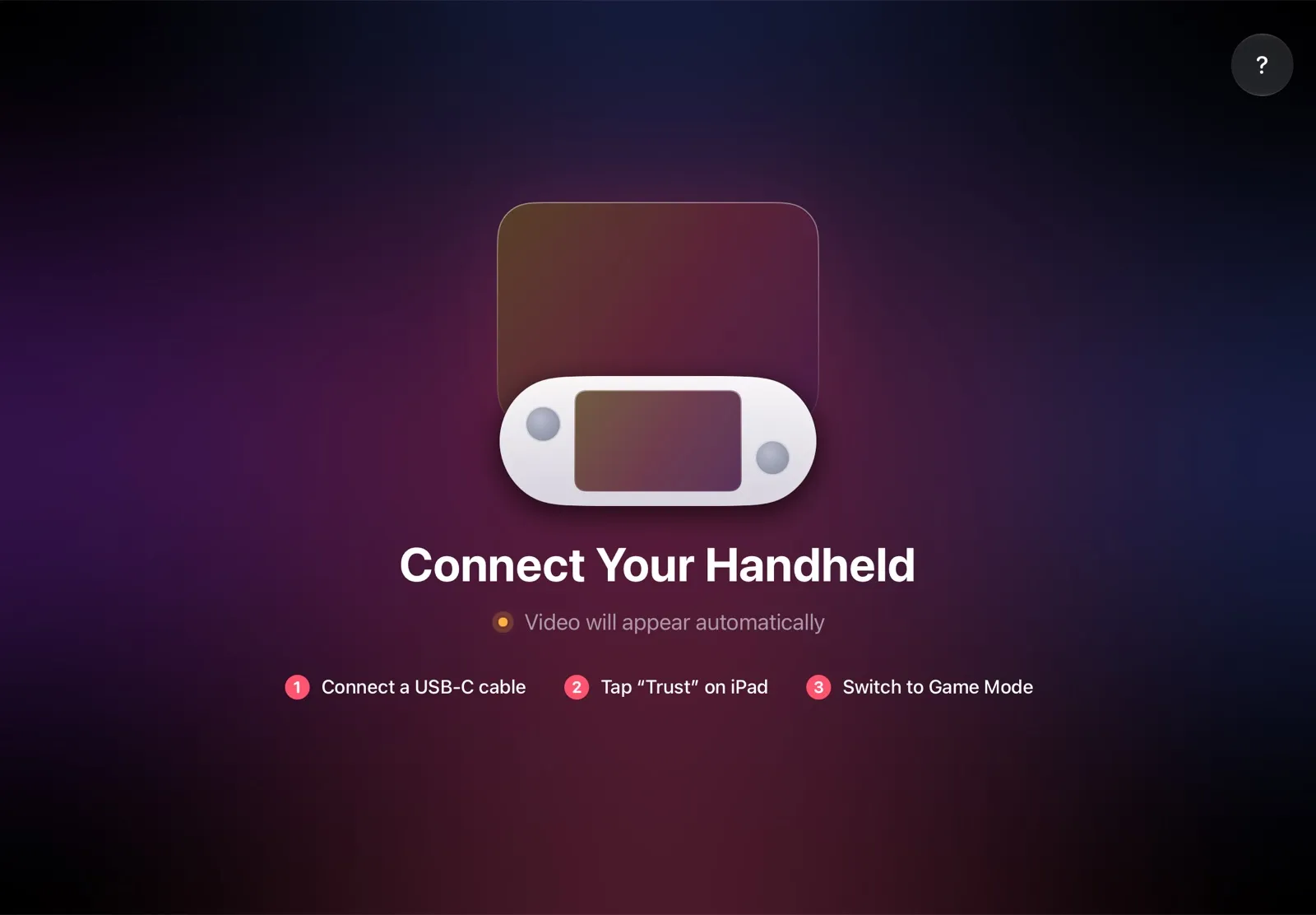
The installation guide has every step, and iPad as a monitor for Steam Deck compares the other ways to use an iPad as the screen.
Why it’s the simplest way:
- Nothing to buy. The app is free, and the cable is the one you already have: no adapter, hub or TV box.
- The big screen goes with you. The iPad fits in the same bag as the handheld, so you can play at a desk, in a hotel or on a train.
- No Wi‑Fi lag. The picture goes over the cable, so a slow or busy network can’t add delay.
- Made for your devices. The handheld detects the iPad’s display and picks the resolution and frame rate for it.
Which SteamOS handheld should you use?
- You own an iPad and want a bigger screen: pick a handheld that runs SteamOS, and TypeScreen makes the iPad its screen over one USB‑C cable, with nothing else to buy.
- You want SteamOS out of the box: the Steam Deck OLED for the lighter body and OLED screen, or the Legion Go S for the bigger screen and two USB‑C ports.
- You own a Legion Go, a ROG Ally or another AMD handheld: install SteamOS yourself; Valve calls it beta, and it wipes Windows.
- You’re choosing between AMD and Intel models: for SteamOS, pick AMD, such as MSI’s Claw A8. Valve’s beta support covers AMD handhelds, and Intel ones aren’t on its list.
FAQ
Which handhelds run SteamOS?
The Steam Deck and Lenovo Legion Go S ship with it. Valve also lists beta support for the original Legion Go, the ROG Ally, the ROG Ally X and other AMD handhelds, such as the Zotac Zone, GPD Win 5 and MSI Claw A8; on those, you install SteamOS yourself.
What is the best SteamOS handheld?
Of the two that ship with SteamOS, the Steam Deck OLED is lighter and costs $789 at Valve; the Legion Go S has a bigger 1920 × 1200 screen and two USB‑C ports, and Lenovo sells its Z1 Extreme model for $999.99. US prices as of October 2026.
Can you buy the Legion Go 2 with SteamOS?
Not as of October 2026: Lenovo’s US site lists the Legion Go Powered by SteamOS Gen 2 as coming soon. Lenovo announced it at CES 2026 at an estimated $1,199. On the Windows model, SteamOS runs as a beta.
Does SteamOS work on Intel handhelds?
Intel handhelds, such as the MSI Claw 8 AI+ and the OneXPlayer 3, aren’t on Valve’s list, which names only AMD hardware. Valve’s release notes do include fixes for them, such as Bluetooth on some Intel handhelds in SteamOS 3.8. For SteamOS with Valve’s beta support, pick an AMD model.
Can the MSI Claw run SteamOS?
The AMD-based Claw A8 falls under Valve’s beta support for other AMD handhelds. The Claw 7 AI+, 8 AI+ and 8 EX AI+ have Intel chips and aren’t on Valve’s list, though SteamOS 3.8 and 3.8.28 added controller support for them.
Can you install SteamOS on a Zotac Zone or a GPD Win 5?
Yes, as a beta for other AMD handhelds: both use AMD chips and ship with Windows 11. SteamOS 3.8 improved controller support on the GPD Win 5 and fixed washed-out colors on the Zotac Zone’s OLED screen.
Does SteamOS work on OneXPlayer and AYANEO handhelds?
On their AMD models, such as the OneXFly F1 Pro and AYANEO 3, as a beta. OneXPlayer models with Intel Arc G3 Extreme chips, such as the OneXPlayer 3 and X2 Mini, aren’t on Valve’s list.
Is SteamOS free?
Yes. Valve offers the SteamOS image for Steam Deck, Steam Machine and other PCs as a free download; you write it to a USB drive of at least 8 GB and install it from there.
Can I use my iPad as a screen for a SteamOS handheld?
Yes. With TypeScreen, one USB‑C cable connects a handheld with SteamOS in Game Mode to an iPad with iPadOS 17 or later, and the iPad becomes its bigger screen. The app is free on the App Store.